

Some video almost seems to glow. Sunlight flashes off water, a neon sign looks genuinely bright against a dark street, and a slow camera pan glides across a room instead of stuttering. Other video, even at the same resolution, looks oddly flat. The difference usually comes down to three things that spec sheets rarely explain in plain words: how much light the picture can use, how finely it can describe color, and how it handles movement.
This guide takes each of those in turn. We cover what HDR actually adds, why 10-bit color matters for smooth gradients, how frame rate and motion settings shape what you see, and how the picture mode on your screen can help or hold it back. Then we look at why compression and delivery still decide the final result, and we finish with one membership service organized around high-definition playback.
HDR Is About Light, Not Just More Pixels
Standard dynamic range, or SDR, video was designed around the limits of older televisions. It describes a fairly narrow span between the deepest black and the brightest white, so a sunlit sky and a desk lamp can end up looking about equally bright.
High dynamic range, or HDR, widens that span. Highlights such as reflections, flames and the sun can be shown much brighter than the rest of the scene, while shadows hold on to more detail. HDR video is usually paired with a wider range of colors as well, so deep reds, greens and teals can look richer than SDR allows.
There is a catch. HDR only pays off on a display that can reach higher brightness and show the extra color. On a dim or older panel, the HDR signal has to be squeezed down to fit, a process called tone mapping, and much of the benefit fades away.
8-Bit, 10-Bit, and the Problem of Banding
Color depth describes how many steps each color channel can use. Eight-bit video allows 256 levels each for red, green and blue. Ten-bit video allows 1,024 levels per channel, four times as many, which adds up to more than a billion possible colors instead of about 16.7 million.
Those extra steps matter most in slow, gentle transitions: a sunset sky, a softly lit wall, fog, or the fade from a bright window into a dark corner. With too few steps, the gradient breaks into visible stripes. This is called banding, and it is one of the clearest signs that a picture is running short on precision.
HDR content is generally mastered and delivered in 10-bit, because stretching a wider brightness range across only 256 levels per channel would make banding far more obvious. Heavy compression can cause banding too, even in a 10-bit stream, which is a point we come back to below.
Frame Rate, Judder, and the Settings Menu
Frame rate is the number of still images shown each second. Most films are shot at 24 frames per second, which gives them their familiar cinematic feel. Television and online video often run at 30, while sports, games and some live programs use 60 for smoother movement.
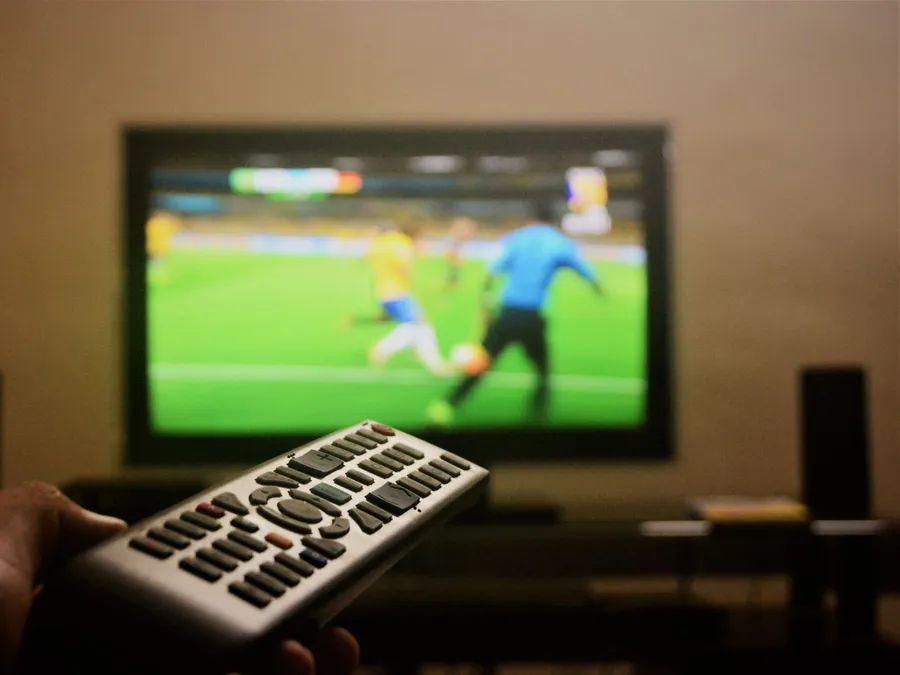
Trouble starts when the source and the screen do not line up neatly. A 60 Hz display cannot divide 24 frames evenly, so some frames are held on screen slightly longer than others. The result is judder, a faint hitch that shows up most in slow camera pans. Many streaming devices and TVs offer a match-frame-rate option that switches the display to suit the content.
Motion smoothing, which goes by different names depending on the manufacturer, takes another route and creates new in-between frames. It can help with fast sports, but it often gives films an overly slick video look. The same menu usually holds the picture modes: vivid or store modes tend to push brightness and saturation, while cinema, movie or filmmaker modes generally aim closer to how the content was graded. Turning off extra sharpening and smoothing is a sensible starting point when you want to judge a stream fairly.
“Resolution decides how much detail a frame can hold. Light, color and motion decide whether it feels real.”The qumivocontent.com picture desk
Why the Stream Still Has the Final Say
Every benefit described so far has to survive the trip to your screen. HDR information, 10-bit color and a steady frame rate all add to what a stream must carry, and video is always compressed to make that trip practical. When too little data is spent, the encoder simplifies whatever it can: fine gradients turn into bands, dark scenes lose texture, and fast motion can smear or break into blocks.
Device support matters as well. Codecs such as HEVC and AV1 can carry 10-bit HDR video efficiently, but only on hardware that can decode them. If a phone, computer or headset lacks that support, the player may fall back to a simpler version of the stream.
Screen size and viewing distance change how forgiving the result is. A phone held at arm's length hides small flaws. A VR headset is the opposite case: the image sits just in front of your eyes and is magnified by lenses, so softness, banding and uneven motion are much easier to spot.

Curated Networks Versus Free General Platforms
Free general video platforms take in huge volumes of uploads and serve them to a very large audience at a low cost per view. To make that work, they often re-encode videos at modest data rates, and quality can swing widely from one title to the next. Viewing pages also tend to be surrounded by ads and tracking scripts.
General free platforms
Designed for scale. Color handling and motion quality can vary a lot between uploads, smooth gradients may show banding, and playback is often interrupted by advertising.
Curated media networks
Designed around a selected library and a delivery setup aimed at steadier, higher-quality playback, with a more consistent standard from title to title and a simpler interface.
A Curated Library Delivered in High Definition
If you own a display that handles bright highlights and rich color, a recent smartphone, or a VR headset, the source you stream from has a big say in how much of that capability you actually get to see. The membership featured on this page is a paid service that provides access to a large catalog of curated media titles, organized into a structured library in the style of mainstream media platforms.
According to the provider, titles are delivered as high-definition playback streams through a streamlined interface, as set out in its terms. Playback can be synchronized across desktops, smartphones and VR headsets, so you can move from one device to another. Account setup options and privacy settings are explained when you register, and billing details appear at checkout. Please read the membership terms and billing information closely before you buy.